Value and Valid
Article#: 00124
Date: 2026-09-04
Author: Radim
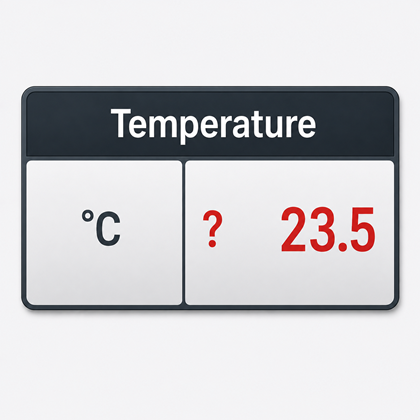
Every variable in a PLC (Programmable Logic Controller) has a value.
But that does not necessarily mean that this value contains valid information.
Let's look at a simple example:
Temperature.Value = 23.5
Temperature.Valid = TRUE
We know that the temperature is 23.5 °C, and at the same time, we know that we can trust this information.
And what does this mean?
Temperature.Value = 23.5
Temperature.Valid = FALSE
The number still exists.
It even looks perfectly realistic.
It may be the last value before communication was lost, the last value before the sensor was disconnected, or simply an old value that remained in the PLC memory.
And this is exactly the kind of value that can be dangerous.
A dangerous value is not necessarily one that looks wrong.
A value that looks perfectly reasonable but is not valid can be much more dangerous.
A common solution when information is lost is to set the value to zero.
But zero does not mean "invalid". Zero is a value.
Speed = 0
can then mean that the machine is stopped.
But it could also mean that we do not know the speed.
These are two completely different pieces of information.
The same problem also occurs with other special values such as -1, 9999, or other numbers that are supposed to mean "unknown" or "invalid" in the program.
A value should not have to answer two different questions at the same time:
What is the value?
Can I trust this value?
That is why I prefer the pair:
Value, Valid
This principle is useful immediately after a PLC starts.
A variable always has a value.
That does not mean that the value contains valid information.
Temperature.Value = 0.0
Temperature.Valid = FALSE
The PLC has initialized the variable, so the variable Temperature has a value.
But the sensor has not yet provided its first measurement.
In this case, zero does not mean 0 °C.
It only means that the variable was initialized to zero.
We do not know the actual temperature yet.
After the first successful measurement, we may get:
Temperature.Value = 23.5
Temperature.Valid = TRUE
The same situation can occur with a value from a bus device, I/O node, HMI, or another source whose initialization takes longer than the PLC startup itself.
I also use a similar principle for retained or persistent variables.
Let's say we have a value that is supposed to survive a PLC restart:
ProducedParts.Value = 12450
ProducedParts.Valid = TRUE
If, however, the retained data is lost or reset for some unintended reason, after initialization we may get:
ProducedParts.Value = 0
ProducedParts.Valid = FALSE
Without the Valid flag, we would see only zero.
And how would we know whether this means that 0 parts were produced, or that we do not know how many parts were produced because the original information was lost?
But simply adding a Boolean flag to every value is not enough.
We also need to clearly define when to set and reset it.
If, for example, we disconnect a sensor, the PLC memory may still contain:
Temperature.Value = 23.5
The value did not change.
But in this case, we need to reset the Valid flag.
Temperature.Valid := FALSE
The Valid flag should therefore always have a reason to be TRUE, and equally clearly defined conditions under which it must return to FALSE.
And this principle applies not only to values coming from sensors.
Let's consider a simple calculation:
Power.Value := Voltage.Value * Current.Value;
But if we have:
Voltage.Valid = TRUE
Current.Valid = FALSE
we can still mathematically calculate a number, but we cannot automatically assume that the result is valid.
For example:
Power.Valid := Voltage.Valid AND Current.Valid;
Of course, not every algorithm can be reduced to a logical AND. It depends on which inputs are actually required for the particular result.
Validity is part of the data and should travel with the data.
From the sensor through the PLC, communication, and calculations, all the way to the SCADA system, database, and visualization.
If we discard Valid somewhere along the way and continue passing only Value, we have lost part of the information.
And the validity of a result does not depend only on the validity of its inputs.
The operation itself may have conditions under which no valid result can be produced.
For example:
Result.Value := A.Value / B.Value;
If B.Value = 0, we do not have a valid result.
IF A.Valid AND B.Valid AND (B.Value <> 0) THEN
Result.Value := A.Value / B.Value;
Result.Valid := TRUE;
ELSE
Result.Valid := FALSE;
END_IF
We should ask a similar question when calculating averages, minima, maxima, statistical functions, or anywhere else where the result depends on the availability and usability of the input data.
It is also important not to confuse the validity of a value with the state that the value represents.
Temperature.Value = 150.0
Temperature.Valid = TRUE
150 °C may be far outside the permitted operating range.
But the value is valid.
The sensor is working and is correctly telling us that we have a problem.
On the other hand:
Temperature.Value = 23.5
Temperature.Valid = FALSE
looks like a perfect operating temperature, but we cannot trust this information.
The Valid flag answers the question:
Can I trust this information?
A warning or alarm answers the question:
Is the state represented by this information acceptable?
In the visualization, we also need to consider how to clearly indicate to the user that a value is not valid.
The HMI should not simply display zero.
If we do not know the temperature, we should not tell the operator:
Temperature: 0.0 °C
Instead, we could display, for example:
Temperature: ???
or:
Temperature: ***
Another option is to keep displaying the last known value, but visually indicate that it is no longer valid.
The last known value can still be very useful, for example for diagnostics.
Invalid does not necessarily mean useless.
It only means that we must not present this value as currently trustworthy information.
The HMI should therefore have a defined way of displaying not only "Normal", "Warning", and "Alarm" states, but also "Invalid" / "Not available" / "No connection".
This principle is also important for trends.
If we do not know the value during a communication failure, we should not write zero into the history.
By doing so, we would create data that never existed.
The trend should contain a gap instead.
If we had no connection to the sensor for five minutes, we do not know what happened during those five minutes.
Do not create history for a time when you had no information.
Validity should influence not only what the user sees, but also what the user is allowed to do.
For example, if the HMI is not connected to the PLC, we should not allow the user to change a setpoint in a way that creates the impression that it was actually written to the PLC.
In the PLC program, we can standardize the whole principle by using our own data types.
For example, in Structured Text:
TYPE ST_VariableReal :
STRUCT
Value : REAL;
Valid : BOOL;
END_STRUCT
END_TYPE
Similarly, we can create additional data types:
ST_VariableReal
ST_VariableLreal
ST_VariableBool
and then declare, for example:
Temperature : ST_VariableReal;
Pressure : ST_VariableReal;
MachineRun : ST_VariableBool;
This gives us a natural pair, for example:
Temperature.Value
Temperature.Valid
Not every auxiliary variable in a program needs a Valid flag.
But whenever a value represents information that can become unavailable, outdated, incomplete, or otherwise untrustworthy, the value alone is not enough.
You need Value and Valid.
Whenever we use a value, we should therefore not only ask:
What is the value?
We should ask one more question:
Can I trust it?
© Radim-Automation, 2020–2026. All rights reserved.
Sharing of this article is permitted with proper attribution (link to the original page).
Related previous articles:
- How long will a failure keep our production down?
- Resilient machine control design
- Diagnostic tools
- It doesn't work without sensors
- Clear signals
- Variable names
- Hardware concept
- Are there also any disadvantages?
- Think critically!
- HMI and PLC applications should grow together
- I can see what you can not see
- More than just start and stop
- Do the right things and do them right!
- Realize every good idea ASAP!
- Focus on target!
- Keep it simple!
- Transparency and reliability
Related next articles:
Comment#: 00001
Date: 2026-08-27
User: Radim
Many years ago, early in my career, I was working as a software developer on one of my first larger projects. I was developing a central SCADA system for a machine controlled by multiple PLCs.
The project was very well managed. A good concept, good documentation, clear specifications, and a realistic project plan.
The SCADA system also included PDA - Process Data Acquisition. We collected production data in a database, aggregated it, and created statistics: the number of produced parts, the number of machine stops per shift, the shortest and longest stops, and similar information.
This part had also been thought through in advance and was well specified.
But when I started programming it, I encountered a problem. The specification considered only the optimal state, in which all parts of the machine were running and all PLCs were providing data. But what if one part of the machine was intentionally switched off? What if one of the PLCs had a fault and was not providing any data? What if communication with the SCADA system was interrupted exactly when the shift changed? While programming all those IF - THEN - ELSE statements, I began to realize that in such situations, the statistics might not produce correct results.
I pointed this out. But because of the promised deadlines, I essentially received a simple answer: "The function is specified. Program it according to the specification." So I did.
The machine was being successfully sold and delivered to many customers around the world. For several months, nothing happened.
Then one day, a senior manager called me into his office. I stood in front of his desk, and he told me that a customer was refusing final acceptance because the PDA statistical functions did not work correctly when some parts of the machine were left out of operation.
"What do you have to say about that?"
"Ah... I know," I replied.
He suddenly stood up from his chair.
"What? You know?"
"Yes. I had to program it according to the specification. Situations in which the entire machine is not in operation were not taken into account when evaluating the statistical data."
He thought for a moment and then said: "Fine. Then you will fix it. And then you will go to the customer and prove that the solution is correct. You will stay there until they confirm that the system works and give their final acceptance. How much time do you need?"
If I remember correctly, I asked for approximately six weeks to rework it and one week for installation and testing at the customer site.
In the end, I stayed with the customer for two weeks. We fine-tuned the last details, and the customer was satisfied and gave their final acceptance.
I still remember this experience years later. As a junior, I did exactly what I was told to do. I implemented the approved specification. And yet, during the implementation, I could already see a problem that the people making the decisions about the solution could not see. Not because they were doing their job badly. With a complex system, it is very difficult to anticipate every possible combination of states in advance. Sometimes a problem only becomes visible to the person who gets deep into the implementation.
And that is why having a good specification, good experts, and clearly assigned tasks is not enough. There must also be a way to bring new insights from the implementation back to the person who has the authority to make the decision. And that person must be willing to reopen the decision when new information emerges.