How long will a failure keep our production down?
Article#: 00114
Date: 2026-01-25
Author: Radim
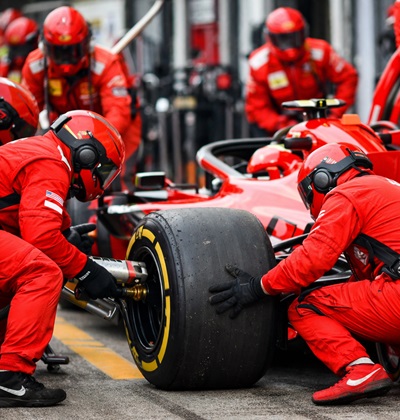
Industrial automation promises higher productivity, better quality, and lower costs.
But all of this is only true as long as the machines are running.
These promises no longer apply as soon as a failure or a problem stops the production.
That is why it is essential to design machines to be resilient in the first place - including their mechanical parts, electrical parts and systems, and software.
However, even the most robust design and components cannot prevent all failures.
That is why it is important to consider what can fail, how likely each failure is, and what its consequences will be.
It is impossible to design machines that never fail.
But we can design machines - and the way they are operated and maintained - to recover fast when a failure occurs.
Some failures can be avoided through regular maintenance.
Wear parts can be replaced in time, loose connections can be detected, and other problems can be prevented before they cause a machine to stop.
When a failure does occur, the first prerequisite for fast recovery is the ability to detect the failure and to identify where it occurred.
This must be addressed already during the project design phase - in the selection of suitable electronic components, actuators, and sensors, as well as in the way data is processed, evaluated, and interpreted in the control software.
Once a failure is detected by the control software, the system can decide whether it is necessary to stop the entire machine or only a part of it.
At the same time, the HMI (Human Machine Interface) should inform the operator that a failure has occurred, where it occurred, and how it can be resolved.
Once a failure has been detected and localized, the next question is how well we are prepared to actually fix it.
In most cases, this requires personnel with the right know-how, up-to-date machine documentation (either electronic or printed), clear labeling on the machine itself and inside the electrical and pneumatic cabinets, and fast access to spare parts - either directly from stock or locally available for fast purchase.
When a failure happens, the real difference is whether production stops for a few minutes or for several days.
And that is the question that matters: How quickly can we recover from the failure and get production running again?
© Radim-Automation, 2020–2026. All rights reserved.
Sharing of this article is permitted with proper attribution (link to the original page).
Related previous articles:
- Resilient machine control design
- What makes an HMI intuitive?
- Keep everything you need together
- Dream of a platform-independent PLC program
- Make backups, make small changes and test a lot
- Keep the documentation up to date throughout the project
- PLC network diagram
- Version control system
- Diagnostic tools
- Event logger as the very first function implemented in the program
- It doesn't work without sensors
- Clear signals
- Design considerations for effective HMIS
- Software update
- Safety relays versus safety PLC
- Documentation issues
- Machine modularization
- Modular software architecture
- Hardware concept
- A good concept = Complete set of suitable solutions
- Are there also any disadvantages?
- Think critically!
- Design machines with a focus on user's abilities and needs
- Why do automation projects fail?
- Collect all the requirements and sort them!
- Who will operate?
- Functional and intuitive HMI
- HMI and PLC applications should grow together
- More than just start and stop
- Safety first!
- Do the right things and do them right!
- Define test scenarios and test cases continuously!
- Don't make it worse!
- Introduce the terminology and standardize it!
- Industrial evolution - Listen to your customers and follow new trends!
- Have an expert on hand!
- Focus on target!
- Don't hide any problem!
- Check the result!
- Keep it simple!
- Success is not a matter of coincidence
- Development is evolution
- Don't neglect and don't skip any step!
- Transparency and reliability
- From an idea to a consistent system
Related next articles:
- Redundant PLC – Yes or No?
- Buttons: Start, Stop and one more
- Different types of machine stops
- Safety stops must have the highest priority
- Danger! Unexpected machine start
- Buttons reset and start
- Slow graphical user interface